


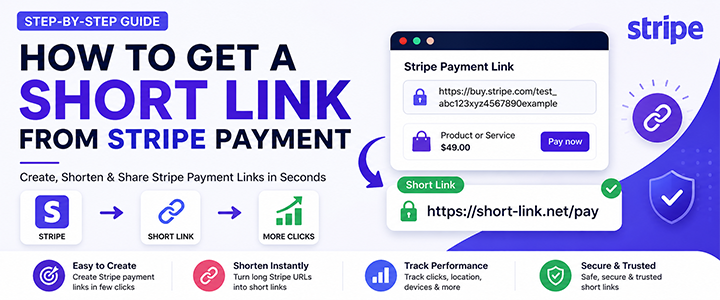
If you’re using Stripe to accept payments, you’ve probably noticed that Stripe payment links can be long and messy. Long URLs look unprofessional, reduce trust, and are harder to share—especially on platforms like Instagram, WhatsApp, and SMS.
In this complete guide, you’ll learn how to get a short link from a Stripe payment, how to customize it, track clicks, and use it to increase conversions.
💳 What Is a Stripe Payment Link?
A Stripe payment link is a shareable URL that allows customers to pay for a product or service without building a full website.
Example:
https://buy.stripe.com/abc123xyz456exampleThis link opens a secure checkout page hosted by Stripe.
❓ Why You Should Shorten Stripe Payment Links
🔗 Benefits
- Cleaner and more professional appearance
- Easier to share across platforms
- Higher click-through rates
- Better branding with custom links
- Ability to track clicks and performance
👉 Shortened version:
https://short-link.net/pay⚙️ How to Get a Short Link from Stripe Payment
🥇 Method 1: Using a URL Shortener (Recommended)
Step 1: Create a Payment Link in Stripe
- Log in to Stripe dashboard
- Go to Payment Links
- Click Create Payment Link
- Add product and price
- Click Create
👉 You’ll get a long URL.
Step 2: Copy the Stripe Link
Example:
https://buy.stripe.com/test_abc123xyz456longurlStep 3: Shorten the Link
Use your URL shortener (like your own platform).
- Paste the long Stripe link
- Click “Shorten”
- Copy the short link
👉 Result:
https://short-link.net/pay1🥈 Method 2: Use Custom Branded Links
Instead of generic links, create branded ones.
Example:
https://yourbrand.link/checkoutBenefits:
- Builds trust
- Looks professional
- Increases conversions
🛠️ Method 3: Use Redirect Pages
You can create your own page:
yourwebsite.com/payThen redirect to Stripe.
📱 How to Use Stripe Short Links on Different Platforms
- Add link to bio
- Use “link in bio” tools
- Share clean links with customers
- Great for direct selling
📧 Email Marketing
- Add short links in CTA buttons
📊 How to Track Stripe Payment Link Clicks
Using shorteners, you can track:
- Click count
- User location
- Device type
- Traffic source
This helps improve marketing campaigns.
🔐 Are Stripe Short Links Safe?
Yes—if used correctly.
Tips:
- Always use HTTPS
- Avoid misleading links
- Use trusted shortener
💰 How Short Links Increase Conversions
Why they work:
- Cleaner links = more trust
- Easy to remember
- Better branding
👉 Example:
- ❌ Random:
/abc123xyz - ✅ Better:
/buy-now
🔥 Best Practices for Stripe Short Links
- Use clear names
- Keep links short
- Use keywords
- Track performance
- Test different links
❌ Common Mistakes
- Using long Stripe links directly
- Not tracking clicks
- Using spammy URLs
- Ignoring branding
📈 SEO Strategy for This Topic
Target keywords:
- how to get a short link from stripe payment
- shorten stripe payment link
- stripe payment link shortener
- stripe checkout link customization
🔗 Internal Linking Strategy
Link this article to:
- How to shorten a link
- Best URL shortener tools
- Track link clicks
❓ FAQs
Q1: Can Stripe create short links directly?
👉 No, you need a URL shortener.
Q2: Is it free to shorten links?
👉 Yes, many tools offer free plans.
Q3: Can I customize my Stripe link?
👉 Yes, using branded domains.
🧾 Conclusion
Getting a short link from a Stripe payment is simple but powerful. By combining Stripe payment links with a URL shortener, you can create clean, trackable, and high-converting links.